


How To Make a player transfer in Play Cricket
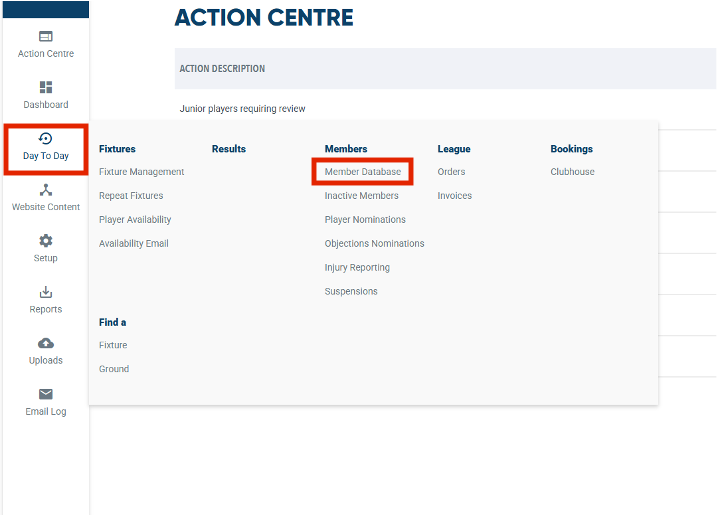
Got to your members database in Play-Cricket
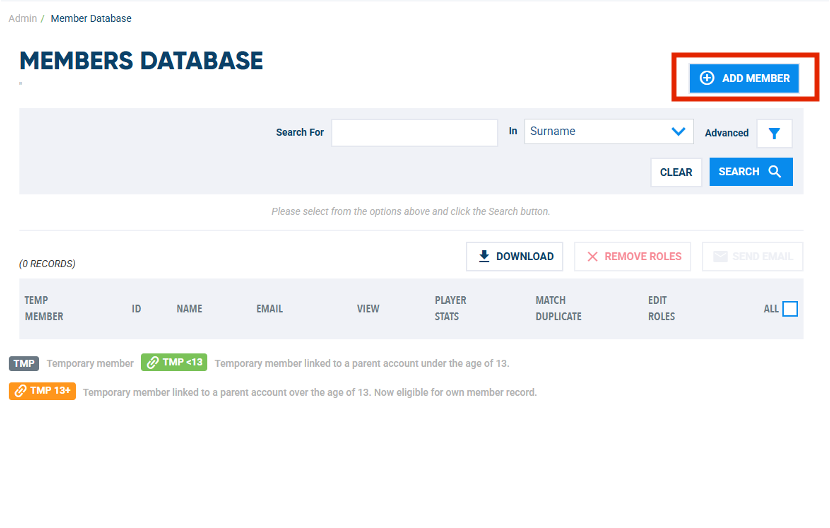
Select > Add Member
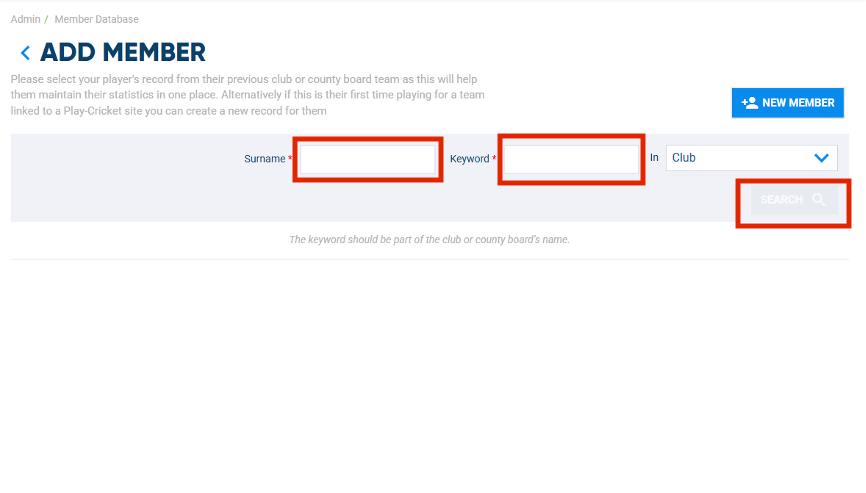
Enter the player's name and the club they are moving from
Find the club they play for
Find the player
Check for approvals in your action centre
to your Add player club
Complete the player’s registration with your club first, then with the MCCL
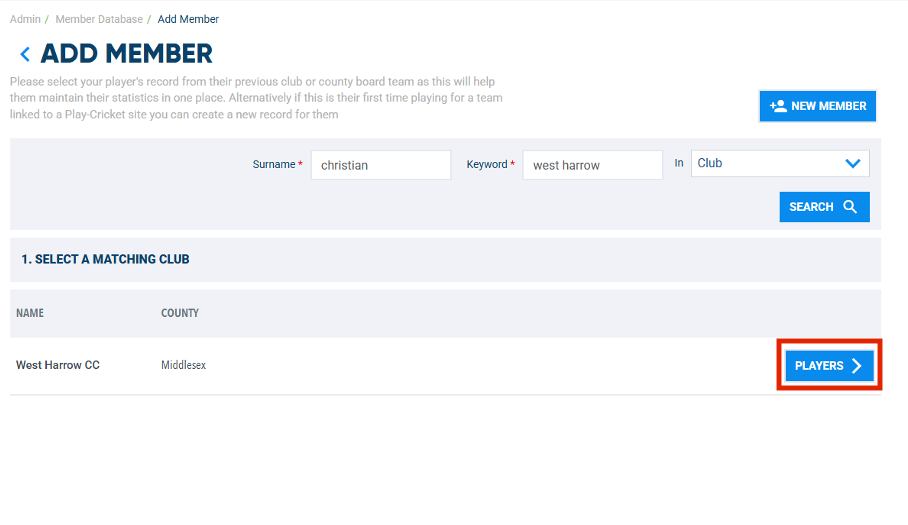
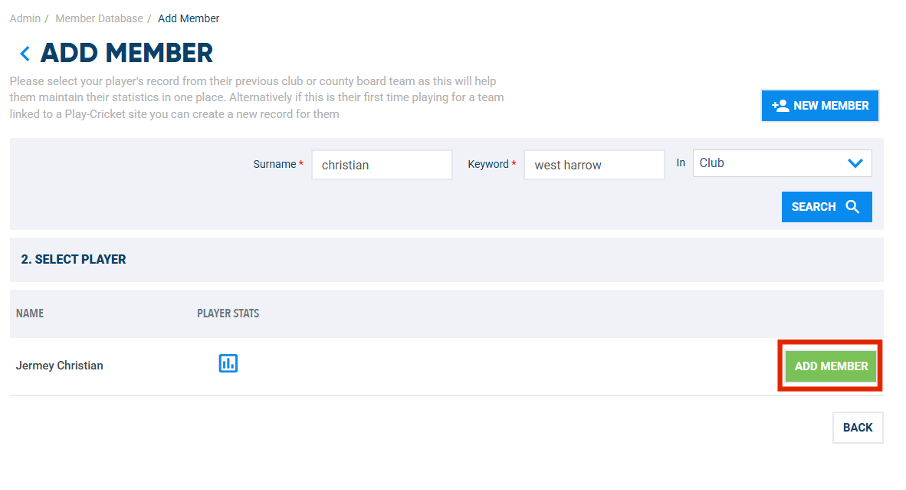
A list of all the players with that surname, at that club, will appear.
Check carefully as a club may have many players with the same surname (e.g. Patel)
Once you have found the correct match with the player's surname and first name:
Select > Add Member
You will then see a pop up confirming that the player request has been sent to that club. Select > OK
NB. In the rare case there is more than one player with the same first name and surname, you can view the players stats and see what XI they have been playing for, to make sure you have the correct player.
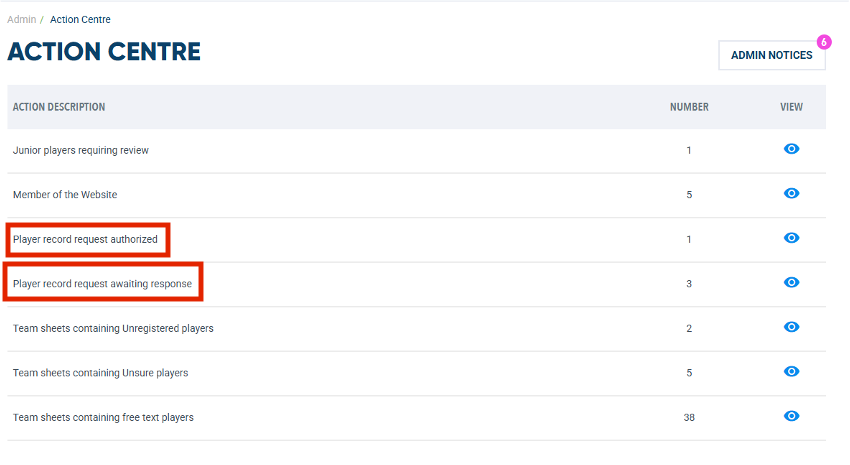
In your Action Centre you can view the status of all your player record requests
To view pending requests:
Select > Player record request awaiting response
To view approved requests:
Select > Player record request authorized
To view pending requests:
Select > Player record request awaiting response
To view approved requests:
Select > Player record request authorized
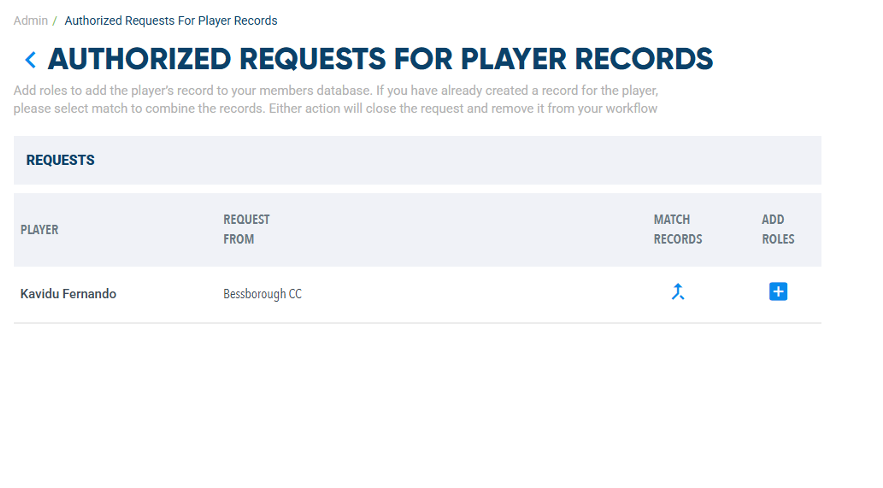
An authorised request looks like this
Once you are ready to add this player to you club
Select > + Button (Add Roles)
Important: If you had already created this player in your club play cricket database, but then subsequently had to make a player transfer request, then at this point please Select > Match Records. This will then allow you create one consolidated player record and keep the players stats and subsequent registration info in one place. If you do not do this, you will end up with two player records for the same player, this can cause issues with the scorecards and in checking if a player is registered with the league.
Once you are ready to add this player to you club
Select > + Button (Add Roles)
Important: If you had already created this player in your club play cricket database, but then subsequently had to make a player transfer request, then at this point please Select > Match Records. This will then allow you create one consolidated player record and keep the players stats and subsequent registration info in one place. If you do not do this, you will end up with two player records for the same player, this can cause issues with the scorecards and in checking if a player is registered with the league.
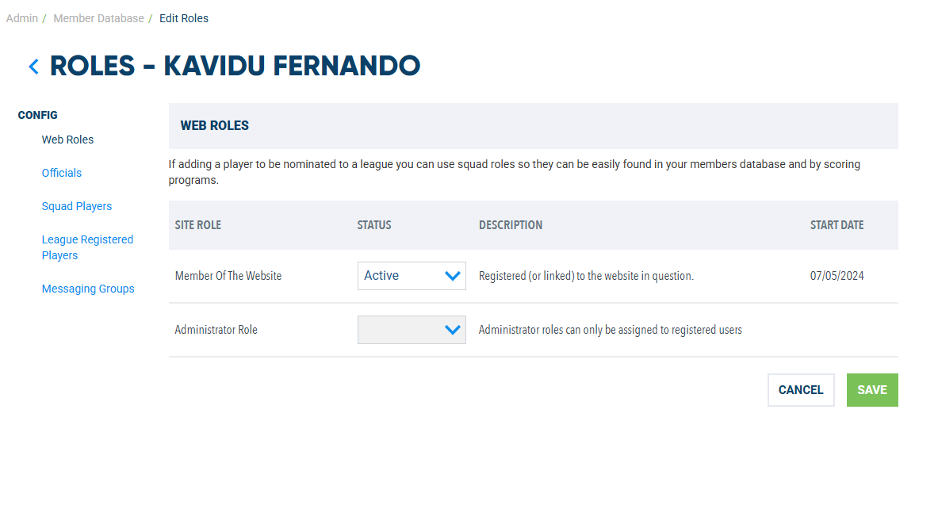
An authorised request looks like this
Now you can complete all the other details as usual to make that player a member of your club in Play Cricket.
NB. You still must go through the league registration process in the 'league registered players' tab, if you are going to register them with the MCCL. You will need to ensure that club they are moving from has un-registered them from the MCCL, before you do the final 'League Registered Players' step.
Now you can complete all the other details as usual to make that player a member of your club in Play Cricket.
NB. You still must go through the league registration process in the 'league registered players' tab, if you are going to register them with the MCCL. You will need to ensure that club they are moving from has un-registered them from the MCCL, before you do the final 'League Registered Players' step.